SCIM Attribute Mapping Between Okta and Custom User Schemas
Okta's SCIM mappings fail silently unless each value lands in the right schema layer.
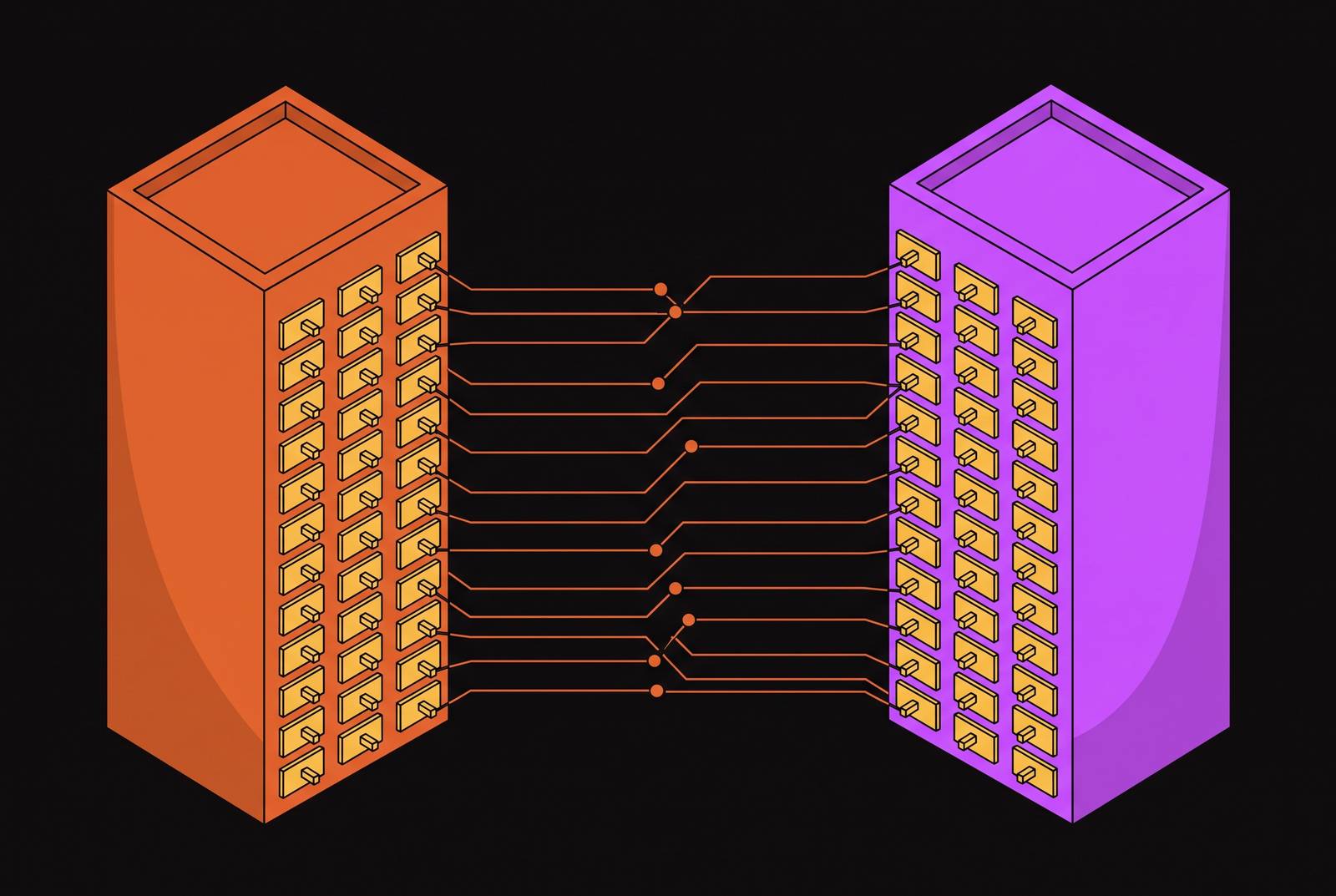
SCIM attribute mapping between Okta and custom user schemas depends on keeping three layers distinct, namely the core User schema, the enterprise extension, and application-specific extensions. Correct provisioning requires more than choosing a source field in Okta. Each mapping must put the value in the right schema so the receiving application reads it as intended and leaves the account in the expected state.
What SCIM attribute mapping actually does and why it is harder than it looks
A user provisions successfully, but the application shows a blank department or the wrong manager. The account exists, so the integration appears healthy even though the data needed by the application is missing or misplaced. Attribute mapping decides which directory field populates each attribute in the outgoing SCIM 2.0 JSON payload. A successful provisioning request does not establish that this translation was correct.
The destination has a defined structure. RFC 7643 and RFC 7644, published in September 2015 and since updated by RFC 9865 and RFC 9967, define the receiving contract around a core User resource and an enterprise extension. But the source directories had their own field names before SCIM set that standard for the target. Department, manager, and cost center therefore do not begin in the same place in every identity provider. A receiver that expects every directory to work like one provider’s can leave fields blank or fill them with wrong values when another provider maps the data differently.
The three schema layers a developer must understand before touching the mapping UI
The core User schema uses urn:ietf:params:scim:schemas:core:2.0:User and is always present in outbound Okta payloads. It owns standard attributes including userName, name, emails, addresses, phoneNumbers, and active. Within name, the fields givenName, familyName, and formatted describe separate parts or representations of the name. These core attributes go at the resource’s top level or within the complex attributes that define them.
The enterprise extension uses urn:ietf:params:scim:schemas:extension:enterprise:2.0:User. It is the standard organizational layer for fields such as department, manager, and cost center. An application-specific extension holds fields that do not fit the standard layers. Its namespace follows the pattern urn:ietf:params:scim:schemas:extension:CustomExtensionName:2.0:User, with the application defining its own URN.
Staffbase illustrates the custom layer with urn:ietf:params:scim:schemas:extension:showcase:2.0:User:skillset. Security Journey uses urn:ietf:params:scim:schemas:extension:SJUserAttributes:2.0:User to hold fields such as job_role, manager_email, and the boolean security_champion. In a payload carrying all three layers, the schemas array must declare all three URNs. The core userName stays at the top level, while enterprise and custom attributes each go inside their own namespaced blocks.
How to create a custom attribute in Okta's Profile Editor and wire it to a SCIM extension
Begin in Okta’s Profile Editor and select Add Attribute. Define the Display Name, Variable Name, External Namespace, and Data Type before attempting to configure provisioning mappings. The Display Name is the human-readable label, while the Variable Name is Okta’s internal identifier. The External Namespace must contain the full custom extension URN. Applivery illustrates this with the Display Name “Security Clearance Level” and Variable Name customSecurityClearance.
Next, set the external name to the attribute suffix expected by the receiving application. Staffbase distinguishes that suffix from the qualified SCIM name containing the namespace. Use camelCase for variable and external names in this configuration, and spell each name exactly as the application expects. The Profile Editor can accept an incorrectly cased name without reporting an error. Saving the attribute therefore establishes its availability in Okta.
After saving, open the SCIM application and navigate through Provisioning, To App, Edit, and Show Unmapped Attributes. Locate the new attribute, select its edit icon, choose the source profile field, set Apply On to “Create and update”, and save. Turn on Update User Attributes in Provisioning, To App so the mapping also works for users who already have accounts. If that toggle is off, new accounts can get custom fields while accounts that already exist never get updates. Staffbase recommends Force Sync on a test user after setup because a custom attribute may not provision on the first attempt.
How Okta's attribute mapping differs from what Microsoft Entra ID and Google Workspace send
Okta maps its own profile fields, such as user.department, to the SCIM enterprise extension through explicitly configured rules. The developer must choose how to set those mappings. Microsoft Entra ID instead provides four mapping types, namely Direct, Constant, Expression, and None. It maps userPrincipalName to userName by default. These differences mean that support for one provider’s mappings does not establish support for another’s.
Entra’s null handling adds a more consequential distinction. It does not provision null values by default, so clearing a source attribute typically causes the key to be omitted. Some payloads, including user creation payloads, can instead contain explicit JSON null. Google Workspace maps Google Directory fields such as Primary email, First name, and Last name and supports many attributes across provisioning applications. A receiver must normalize the mappings it supports rather than assume that these providers send interchangeable representations.
Matching accounts also requires a deliberate choice. Use a stable, non-mutable matching field, such as externalId or userPrincipalName where it serves that role. An employee’s name change can change the email address, break the existing link, and cause creation of a duplicate account. Attribute normalization cannot fix an identity link that uses a value that changes.
Silent failures: the category of mapping errors that produce no error message
A silent failure occurs when provisioning appears successful but the application’s field remains empty, absent, or stale. Namespace placement is one cause. A custom attribute sent at the top level, outside its extension block, can be ignored without an error by a receiver that strictly parses the schemas array. The value was sent, but not where the receiver expected to find it.
Name mismatches produce the same outcome. Where the application requires zoomPhoneSite, the spellings zoomphonesite and ZoomPhoneSite do not satisfy that contract, even though the Profile Editor accepts them. Another silent failure comes from assuming that displayName will be composed automatically from first and last names. It requires an explicit mapping rather than an assumption that populated givenName and familyName are sufficient.
Existing accounts introduce a separate matching failure. Security Journey documents that users assigned before SCIM was enabled may lack an externalId, preventing subsequent updates from linking to them, and prescribes reassignment to generate the identifier. When Entra leaves out keys, receiver code that checks only for explicit null can silently keep a field’s old value after the source field has been cleared. Infrastructure problems, including application API errors, rate limits, and network path breaks, can also leave downstream state wrong despite a recorded provisioning attempt. The common feature is that the log does not prove the intended account change occurred.
What verification looks like in practice: checking state, not just logs
Verification must use the downstream application’s native API to read the stored user record and check that it has the expected values. Okta’s report of a successful push is not a substitute for that comparison. The relevant evidence is the account state, including whether each mapped attribute reached its intended field. This distinction turns verification from a review of transport activity into a test of the mapping contract.
Start with the lifecycle settings as well as the attributes. Turn on Create Users, Update User Attributes, and Deactivate Users together in Provisioning, To App. KnowBe4 explicitly identifies this combination as a first-configuration requirement. Omitting Deactivate Users can leave offboarded accounts active even when creation and updates work.
After the test user’s Force Sync, use the application’s native API to check that each mapped value is as expected. For Entra, also clear a source field and confirm that the destination reflects its removal. Permanent errors such as duplicate usernames or schema violations require manual remediation. Left unresolved, they keep provisioning state inconsistent, and that inconsistency compounds with subsequent sync cycles.
Schema drift: why a working SCIM integration degrades over time without maintenance
Microsoft Entra ID changed attribute mapping behavior for synchronized users in late 2024 without a deprecation notice. Teams with working integrations consequently encountered breakage without advance warning of the change. This is the central maintenance problem with SCIM mappings. Providers can drift independently from one another and from the specification.
Each enterprise customer’s custom mapping is another small contract that the receiving team must support. As more customers join, their Employee number, cost center, and department mappings give the team more to support. Schema discovery reduces some of the manual work. Entra reads an application’s /Schemas endpoint to populate its attribute mapping dropdown. Without that endpoint, each Entra customer must configure mappings manually and repeat the work when the schema changes.
Values that differ, missing externalIds, and email addresses that have changed can look like provisioning failures even when the mapping itself is right. Maintenance must account for the data entering the contract as well as the schema defining it. An integration with no active owner can quietly deteriorate until a failed offboarding exposes the problem.
Keeping mappings stable: per-IdP conformance testing, endpoint versioning, and ownership
Three practices address that maintenance burden, namely per-IdP conformance testing in CI, a versioned SCIM endpoint, and named ownership. A conformance test should send a representative payload from each supported provider, including Okta, Entra, and Google, to the application’s SCIM endpoint. It should then assert that every mapped attribute lands correctly in the application’s data store. The assertion must reach the stored result.
A --fail-on high flag, or an equivalent gate that exits non-zero on high or critical drift, can block a deployment when the integration has degraded. Endpoint versioning gives customers a migration path for deliberate breaking schema changes by exposing /scim/v2 from day one and incrementing the version for those changes. Named ownership assigns responsibility for recognizing provider changes and maintaining those tests. Without it, an offboarding support ticket can become the first indication that the contract has broken.
The /Schemas endpoint is a particularly valuable investment because it makes the contract visible to both customers and Entra’s mapping discovery. It reduces repeated manual configuration for new enterprise customers. It also exposes schema changes instead of leaving them implicit in individual mapping setups. Tests detect divergence, versioning manages breaking changes, and ownership keeps both practices active.
Where SCIM attribute mapping is headed: non-human identities and the unresolved agent schema
The same discipline extends to non-human identities, including AI agents, service accounts, and automated workers. Their provisioning still requires agreement on which fields exist, where they belong, and what an update means. The agent-specific schema contract, however, remains unresolved. As of October 2026, the IETF datatracker lists five individual SCIM agent drafts, two of them active. The SCIM working group has adopted none of them.
A joint draft supersedes an earlier individual draft that lapsed in April 2026. It proposes giving an agent a username, an owner, and an on-off switch while leaving its credentials alone. That is a minimal identity footprint modeled on human users, without the org-chart attributes that make the enterprise extension useful.
For endpoints being designed today, the custom extension layer should accommodate non-person principals through an owner field, an active boolean, and a type discriminator. Retrofitting those distinctions into a human-only schema will require a version bump. The underlying requirement remains the same as for an Okta department or custom skillset. A mapping is reliable only when its schema ownership is explicit and the resulting account state matches the contract.